નિષ્ઠા કોર્સ રહી ગયો? રજિસ્ટ્રેશન અને કોર્સ અહીંથી પૂર્ણ કરો.
પરીક્ષાની તૈયારી માટેનું તમામ સાહિત્ય અહીંથી ડાઉનલોડ કરો.
અમારી નવી youtube ચેનલની મુલાકાત લો.
Showing posts with label Matdar Yadi. Show all posts

Check Your Name In Voter List Gujarat 2026 | Check Name In Election Voter List 2026 - erms.gujarat.gov.in

Check Your Name In Voter List 2026 Gujarat | Check Name In Election Voter List 2026 - erms.gujarat.gov.in

The Election Commission of India has published the voter list for 2026 on its official website. With the convenience of the online system, it is no longer necessary to walk to a booth with your proof of identification or other essential documents to search your name on the voter list.

However, this must be done at least 10 days before the election so that any type of error can be corrected as soon as possible. Once the elections are about to begin, no alterations are allowed.

In view of the impending general elections, the Election Commission of India has strengthened its Voter Help Line to make it easier for voters to obtain authentic information related to their voter registration. The range of services provided by the Number 1950 helpline has been renewed and made easily accessible.


Check the name on Gujarat voter list 2026 | Check the name on the election list 2026

Check Your Name In Voter List Gujarat | Check Name In Election Voter List - erms.gujarat.gov.in

Voters registered in the Electoral Census can verify the details of their personal information, the Voting Table scheduled for them to visit on Election Day and know the contact details of the Booth Level Officials, Election Registration Officials, and Election Officials District, using the Voter Helpline Mobile App or through the portal www.nvsp.in or by calling the 1950 Helpline Number. Along the same lines, services through SMS can also be used by citizens by sending SMS at no cost until 1950.


Since the mere possession of the EPIC Card is not enough for voters, but their names must also be on the electoral roll to allow them to cast their vote on voting day, it is necessary for citizens/voters to verify that their names appear on the electoral rolls. If they are not registered, they can submit Form 6 online via www.nvsp.in or submit the form via the mobile app or a hard copy to the respective ERO offices. If any correction is needed, they can submit Form 8 for the necessary correction online through NVSP or via the mobile app or a hard copy to the respective ERO offices. Also, if their addresses are changed within the part, they must submit Form 8A on the same lines as above.


It is also clarified that all these services can be obtained directly or from the concerned officials appointed by the Election Commission of India. ECI has not authorized any intermediary to provide these services.

The Gujarat Electoral Director has declared the Gujarat voter list for 26 constituencies of the Lok Sabha assembly on the official website @ ceo.gujarat.gov.in. Download CEO Gujarat voter list online and look up your name in Gujarat Voter Register PDF. New and existing citizens of the state can download the Gujarat PDF Electoral Rolls / Voter ID Card list 2019. Here we provide the 2020 CEO Gujarat Voter List online erms.gujarat.gov.in by name, EPIC No and by district / area or wise constituent assembly.


How to check if your name is on Gujarat Online voter list 2026 - erms.gujarat.gov.in?

Having a voter identification card is not enough for a person to be eligible to vote in an election in India. Before the elections, the person must check whether her name is present on the voters list or not. Now, the electoral commission has made it possible for a person to verify their name on the online voter list. Just follow the steps mentioned below:


  • Visit the website https://erms.gujarat.gov.in/ceo-gujarat/master/Elector-Search-Dist-AC-Serial.aspx
  • After visiting the website, you can look up your name on the voter list using two methods.
  • The first method is to click on the "Search by details" option.

join gujarat educare

Helpline to download CEO Gujarat voter list

  • The toll-free number for the National Contact Center is "1950"
  • NGRS Helpline Number "1950" and 1800-22-1950
  • National contact center operational from 8 A.M. At 8 P.M. Every business day
  • You can call 1950 to connect to the State Contact Center and get the information and status in your regional language.

To download the CEO Gujarat voter list or seek assistance, the official national voter helpline is 1950.

​As of December 19, 2025, the CEO Gujarat has just released the Draft Electoral Roll following a Special Intensive Revision (SIR). You can access the voter list and support through the following channels:

​1. Direct Helpline Numbers

  • ​Voter Helpline (Toll-Free): Dial 1950 from any phone.
    • ​Note: If calling from a mobile, add your area's STD code before 1950 for local assistance.
  • ​CEO Gujarat Office: 079-23250316
  • ​Ahmedabad District Election Office: 079-27550618

​2. How to Download the Voter List (PDF)

​You can download the booth-wise voter list (Electoral Roll) online without needing to call:

  1. ​Visit the Portal: Go to the Voter Services Portal - Download E-Roll.
  2. ​Select Year: Choose 2026 as the "Year of Revision" (since the current draft is for the upcoming 2026 cycle).
  3. ​Choose District & Constituency: Select your district (e.g., Ahmedabad, Surat) and then your specific Assembly Constituency.
  4. ​Download PDF: A list of polling booths will appear. Click the download icon next to your booth to get the PDF voter list.

People who wish to verify whether their names have been included in the voter list or those who wish to verify any details related to their voter identification card can do so by following the steps described below:

  • Visit the National Voter Service Portal, the official website for all voter-related information administered by the Election Commission of India.
  • Select the option "Find your name on the electoral roll" from those provided.
  • Choose from the available search options (and listed above) and enter the details accordingly.
  • The results will be displayed on the screen depending on the information that is available in the database.
  • People who have registered to vote should be sure to check the electoral roll to ensure that their name is mentioned to avoid being denied the right to vote in elections. In case a name is not in the database, the person can contact the nearest electoral office and notify the official.

Find your name on the electoral list by entering your information

  • Enter all your personal information on the website, such as your name, date of birth, age and electoral district, from where you registered as a voter.
  • Then enter the code you are seeing in the captcha image and then click search. If you can see your name below the submit button, your name is on the voter list; otherwise, your name will most likely not appear on the voters list.
  • Look up your name on the voters list by EPIC number
  • Enter the EPIC number in the box. Then select the state of your residence.
  • Then write the code you see in the captcha image.
  • If your name is on the voters list, then you will see the name below the submission; otherwise, your name is most likely not on the voters list.


Important Link:

Voter List FAQs

1. How can I register on the voters list?
  • To register on the voter list, all you need to do is apply for a new EPIC. This automatically puts you on the voters list. In case you are not registered on the voter list, please visit the NVSP website to file a complaint.

2. How can I find my name on the voter list?
  • To find your name on the voter list, follow the steps mentioned below.
  • Visit the official NVSP website.
  • Click on "Find your name on the electoral roll."
  • On the "Search by details" tab, fill in all the required details.
  • If your name appears, it means your name is on the voters list.

3. How to download the voter list?

  • The voter list can be downloaded from the ECI (Election Commission of India) website.

4. How to check if your name is already on the voters list?
  • You can determine if your name is on the voter list by clicking "Find Your Name on the Electoral Roll" on the official NVSP website.

5. What do I do if I can't find my name on the voter list?
  • Some of the reasons your name does not appear on the voters list are:
  • Your constituency has changed.
  • If you have removed the name.
  • There is a technical glitch.

Matdar Yadi Sudharna Karyakram 2024

Matdar Yadi Sudharna Karyakram 2024

The 2022 Voter Information Reform Program has begun. Please deliver this upgrade to all citizens of that village and be helpful so that no candidate is deprived of it.


Matdar Yadi Sudharana 2024: The government has made this special arrangement for the voters for each person.  In which the following jobs can be performed.

  • Get a new electoral card 
  • Name correction
  • Change of address
  • Rotate to another location where the marriage takes place


The government has issued special dates for all these services.The Elections Department has sent you a letter.  Read this official circular from the link below.


Regarding the special brief correction program of the register with a photo of the qualification date 01/01/2024.  Issue of organizing special campaign days on the voter list reform program A of the letter from the Election Commission of India, New Delhi, programs have been announced  short correction specials with reference to the eligibility date.  Consequently, detailed instructions have been given on the special brief correction program of the Electoral Registry-2022 of the same letter.


મતદાર યાદીમાં તમારૂ નામ ચેક કરવા અહીં ક્લિક કરો.


In accordance with the revised schedule approved by the Electoral Commission, the period for accepting claims and objections has been set from 14/11/2021 (Sunday), 21/11/2021 (Sunday) and 27/11/2021 to 28/11/2021 the publication of the draft of the consolidated electoral roll on.


Matdar Yadi Sudharna Karyakram 2022 official Letter

In 174 assembly constituencies (excluding 8 assembly constituencies in by-elections) in the state, it was decided to select the days as special campaign days in accordance with the special abbreviated voter list review schedule as of  14/11/2021.  The following are the days of this special campaign.


The designated official must make special arrangements to be present at the voting table from 10:00 am to 5:00 pm to accept complaints and objections.


Display the appropriate banner related to the program at each of these locations.  To accept the forms by the designated officer on the special campaign day, check the voter details of the draft, check the draft with the help of the BLO, find out if there are any defects and take auxiliary action, and send the ERO / AERO report to  through the supervisor in the evening at the end of each special campaign day.


On this day, the supervisor will make regular visits to each of the places under jurisdiction and will provide the necessary supervision and guidance and will report to the ERO / AERO of each party in the evening.


The District Elections Officer, the Registrar of Voters, and the Assistant Registrar of Voters shall visit the randomly designated locations.Forbes details obtained on the day of the special campaign should be submitted here.

How to download e-EPIC ?

How to download e-Epic Card: Advancing its continued efforts to build an active democratic citizenship in the country, the Election Commission of India has embarked on a new initiative by designing a mobile app to develop a culture of avid voter participation and make informed and ethical voting decisions among citizens of the country. 

How to download e-EPIC ? 2022
E-Epic Card Download

The application aims to provide a single point of service and delivery of information to voters across the country. The application offers the following facilities for Indian voters:


Matdar Yadi Sudharna Karyakram 2024

Further affirming that the detailed guidelines issued by the Election Commission of India New Delhi for the holding of general / by-elections during COVID-19 and the guidelines issued from time to time by the Government of India / State Government to prevent the transition to COVID-  19 are strictly followed on the day of the special campaign.  The District Elections Officer shall ensure that this happens.


Therefore, it is requested that the above instructions be given to all concerned officials, including cabin level officials, assistant voter registration officials from all assembly constituencies in your district.


Official Letter from Matdar Yadi Sudharna Karyakram 2024 (Voter Information Reform Program)

IMPORTANT LINK:


VOTER HELP LINE APPLICATION

મતદાર યાદીમાં આપનું નામ ચેક કરવા માટેની લીંક

Garuda Application For BLO

Garuda Application For BLO

This is to inform you that we have uploaded a new version of the Garuda App i.e. *v2.26.0* at Google Play Store.  New version includes

Garuda Application For BLO
Garuda App for BLO

1) Offline form submission of Form-6 (BLOs will be able to apply form-6 in offline mode and App will submit/transfer the form to the server as a background process once the BLO get internet connectivity.


2) BLOs will be able to see the reference numbers for all submitted forms from the list available from the dashboard (third box)


3) Fixed some known issues and feedback received from users.


Kindly ask BLOs to update the new version and let us know if you found any issues. We will force update app after one week.


App is designed to capture the information of PS, Checklist & Form Features.


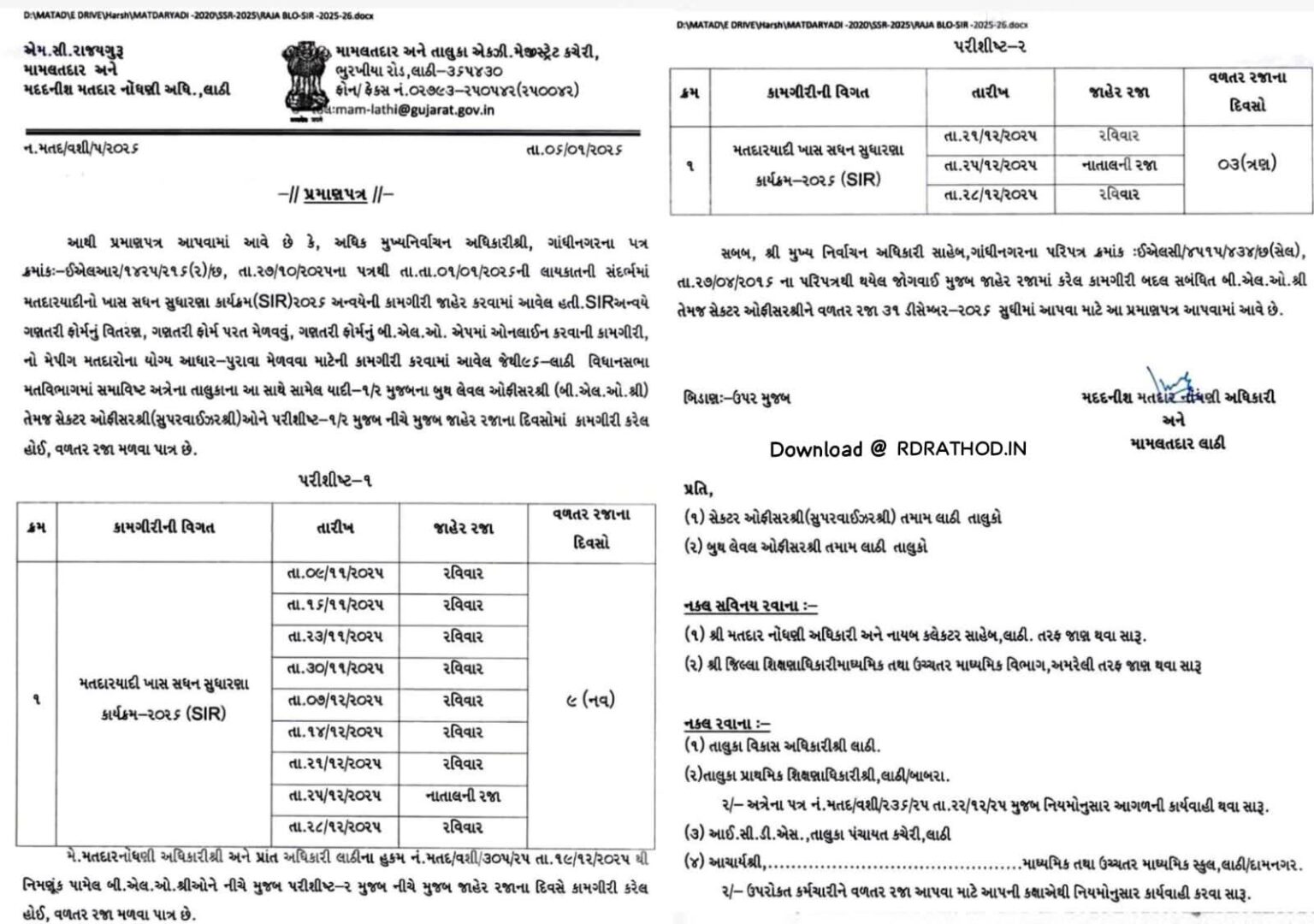
રવિવારની કરેલી કામગીરીની વળતર રજા વર્ષ 2023 માં ભોગવી શકાશે.


✅ હવે તમે જાતે જ ઘેર બેઠા ફક્ત 5 જ મિનિટમાં ચુંટણી કાર્ડ સાથે આધાર કાર્ડને લિંક કરી શકો છો.

જુઓ આ વીડિયો અને લિંક કરો ચુંટણી કાર્ડ સાથે આધારકાર્ડ

Link : https://youtu.be/afFUltno-Hk

🙏 તમામ BLO મિત્રો અને તમામ મતદારો સુધી આ વીડિયો પહોંચાડશો.


Important Link

BLO એસેસમેન્ટ સ્ટેપ જોવા અહી ક્લિક કરો.

નવી ગરુડા એપ્લિકેશન ડાઉનલોડ કરવા અહી ક્લિક કરો.

નવી ગરુડા એપ્લિકેશન મા BLO એસેસમેન્ટ કેવી રીતે કરશો ? જુઓ આ વીડિયો 

Download BLO Training Circular: Click Here

BLO Training Joining Link : Click Here

Download BLO Training Module : Click Here


Garuda App is designed to capture the information of polling stations, PS facilities, Checklist & New Form App Features. BLO’s have the facility to add or update data for available facilities and identification of polling stations and marking of distance from important places to the Nearest Bus stand/ Police station/ Fire station/ Fuel pump data/Hospitals/ Parking area.


Change Log:

1) Form 6 can now be filled in offline mode and status of those forms can be seen later on


2) Fixed few issues

Official Election Commission of India App for Voter Registration and Elections.

About Voter Helpline App

Taking forward its continuous efforts of building an active democratic citizenry in the country, Election Commission of India has undertaken a new initiative by designing a Mobile Application for developing a culture of avid electoral engagement and making informed and ethical ballot decisions among citizens of the country. 


The app aims to provide a single point of service and information delivery to voters across the country.  The app provides following facilities to Indian voters:


A. Electoral Search (#GoVerify your name in the electoral roll)


B. Submission of online forms for New Voter Registration, shifting to a different 

the constituency, for Overseas Voters, Deletion or Objection in the electoral roll, correction of entries & Transposition within Assembly.


C. Register Complaints related to Electoral Services and track its disposal status


D. The FAQ on Voter, Elections, EVM, & Results


E. Service & Resources for Voters & Electoral Officers


F: Find the Election Schedule in your area


G: Find all the candidates, their profile, Income Statement, assets, criminal cases 


H: Find the Polling Officials and call them: BLO, ERO, DEO and CEO.


I: Click a selfie after Voting and get a chance to be featured in the Official Voter Helpline App Gallery. 


J: Download the list of Contesting candidates in PDF format and take the print out.


cVIGIL allows anyone to report Model Code of Conduct or Expenditure Violation


cVIGIL provide time stamped evidentiary proof of model code of conduct / Expenditure Violation, having live photo/video with auto location data. This unique combination of timestamping, live photo with auto location can be fairly relied upon by election machinery to navigate to the right spot and take prompt action. The GIS-based dashboard provides strong decision tool to drop and dispose of frivolous and unrelated cases even before they are acted upon, thereby reducing the workload of election machinery on ghost complaints.


Presently there is a lack of fast information channel to transmit and track complaints on MCC violations. Delay in reporting of Model Code of Conduct (MCC) violations has often resulted in the culprits escaping detection from the flying squads of election commission entrusted to ensure enforcement of Model Code of Conduct. 


Further, lack of any documented, untampered, evidence in the form of pictures or videos was a major hurdle in establishing the veracity of a complaint ex-post facto. The Commission’s experience has also shown a significant percentage of reporting was false or inaccurate, which led to wastage of precious time of Field Units. 


The new cVIGIL app launched by Election Commission of India is expected to fill in all these gaps and create a fast-track complaint reception and redressal system. ‘cVIGIL’ stands for Vigilant Citizen and emphasizes the proactive and responsible role citizens can play in the conduct of free and fair elections.


Citizens are, encouraged to use the ECI main website for lodging the other type of complaints or call the National Contact Centre at 1800111950 or State Contact Centre at 1950 for other complaints.


Important Link:

Download Garuda Application : Click Here


BLO નિમણૂંક અંગેના માપદંડના તમામ પરિપત્રો સંગ્રહ

BLO ની કામગીરી કોને સોંપવી ? પરિપત્ર 17/08/2023

close